AI Image Generation in 2026: A Complete Beginner's Guide to Creating Stunning Visuals for Free
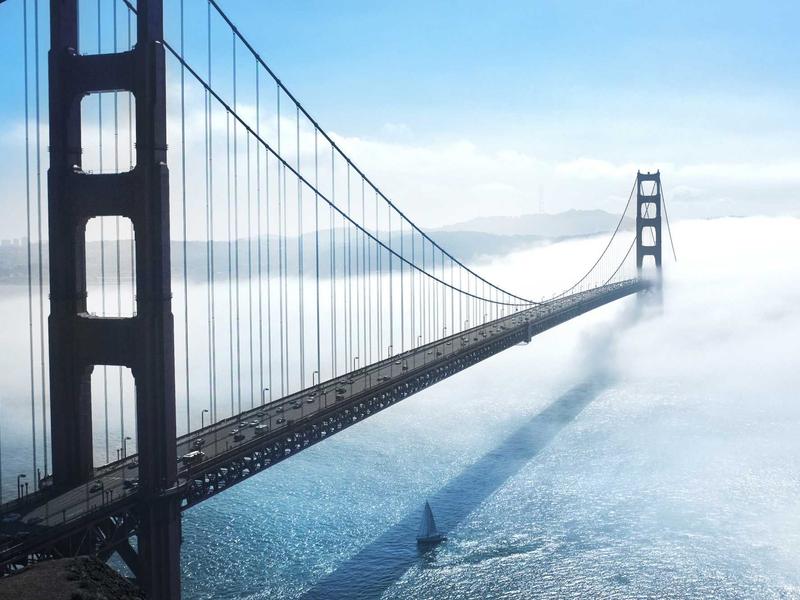
Generating professional-quality images used to require expensive software, a trained designer, or both. In 2026, that's no longer true. AI image generation tools have advanced to the point where anyone — regardless of design experience — can create stunning visuals from a simple text description, in seconds, at no cost.
This guide covers everything you need to get started: how the technology works, how to write prompts that actually produce good results, and which free tools are worth your time.
What Is AI Image Generation?
AI image generation uses deep learning models trained on hundreds of millions of image-text pairs. When you type a description — called a prompt — the model interprets your words and constructs a matching image through a process called diffusion, gradually refining visual noise into a coherent, detailed picture.
Modern models like FLUX, Seedream 4, and Stable Diffusion XL have made this process fast, accessible, and remarkably accurate. You don't need to understand the underlying technology to use it effectively.
How to Write a Prompt That Actually Works
Most beginners write vague prompts and get vague results. The fix is simple: treat your prompt like a creative brief to a professional photographer, not a casual description.
A weak prompt:
"a woman at the beach, beautiful"
A strong prompt:
"A woman in her late 20s standing at the ocean's edge during golden hour, warm backlit glow, Canon 85mm f/1.4, shallow depth of field, editorial photography style, 4:5 aspect ratio"
The second prompt specifies subject, location, lighting, lens, style, and format. The output will be dramatically more precise.
Elements of a strong prompt:
- Subject — who or what appears in the image
- Environment — location, time of day, weather
- Lighting — golden hour, studio lighting, overcast, candlelight
- Style — photorealistic, oil painting, cyberpunk, minimalist, documentary
- Technical specs — camera model, lens, resolution, aspect ratio
- Negative elements — what to exclude (e.g., "no text, no watermark, no blur")
Choosing the Right AI Model
Different models excel at different output styles. Here's a practical breakdown:
ModelBest ForFLUXPhotorealistic images, portraits, product photographySeedream 4Artistic styles, illustrations, painterly compositionsStable Diffusion XLVersatile general-purpose generationNano BananaFast iteration, quick concept testing
If you're unsure where to start, FLUX is the most reliable choice for everyday use.
The Best Free AI Image Generator in 2026
FreeAIWork is one of the most complete free platforms currently available. It combines multiple state-of-the-art models in a single interface, with no watermarks, no subscription required, and no credit card needed to get started.
Key features include:
- Text to Image — generate images from written prompts using FLUX, Seedream 4, or other models
- Image to Image — upload an existing photo and transform its style, lighting, or composition
- AI Video Generation — convert images or text prompts into short video clips using Google VEO 3.1 and Sora 2 integration
- 4K-quality output — generated in 2 to 10 seconds depending on the selected model
The image-to-image feature is particularly useful for e-commerce sellers and content creators who need to improve existing photos without a professional studio setup.
Step-by-Step: Create Your First AI Image
- Visit freeaiwork.com and select Text to Image
- Choose your model — start with FLUX for photorealistic results
- Write a detailed prompt using the structure above
- Set your preferred aspect ratio: 1:1 for social media, 16:9 for wallpapers, 9:16 for mobile content
- Click Generate and wait 2–10 seconds
- Download your image — no watermark, no restrictions
Using Image-to-Image: Transform What You Already Have
Image-to-image generation is one of the most underused features in AI tools. Instead of starting from scratch, you upload an existing image as a reference and describe how you want it changed.
Practical applications include:
- Turning a phone photo into a professional-looking product shot
- Applying an artistic style (watercolor, oil painting, neon) to a regular photograph
- Replacing cluttered or distracting backgrounds
- Generating consistent variations of a base composition
The AI preserves the core structure and subject of your original image while applying the new style or instructions.
Common Mistakes to Avoid
Regenerating instead of refining. If a generated image is 80% correct, use it as your image-to-image input rather than starting over. Describe only what needs to change. You will reach a good result in two or three iterations rather than fifteen.
Using vague style words. Terms like "beautiful," "stunning," or "cool" give the model no useful information. Replace them with specific, concrete descriptors.
Ignoring negative prompts. Adding instructions for what not to include — such as "no extra limbs, no text overlay, no blurry background" — significantly reduces unwanted artifacts.
Only generating one image. AI generation involves randomness. Run the same prompt three or four times and choose the best result. Small variations between outputs are normal.
What Free Tools Cannot Do (Yet)
Free platforms are excellent for most everyday creative work. However, there are genuine limitations worth knowing:
- Brand consistency at scale — maintaining the same character, product, or visual identity across dozens of images requires model fine-tuning or LoRA training, which is typically a paid feature
- Commercial licensing — usage rights vary by platform; always review the terms before using generated images in commercial projects
- Highly specific compositional control — advanced features like ControlNet or inpainting are more reliably available in paid or self-hosted tools
For blog content, social media, product mockups, presentations, and creative exploration, free tools are fully capable.
Who Benefits Most from AI Image Generation
- E-commerce sellers — product visuals, lifestyle imagery, and ad creatives without a photography budget
- Content creators — thumbnails, blog headers, social posts, and course materials
- Marketers — campaign visuals, presentation graphics, and brand imagery at scale
- Developers and entrepreneurs — mockups, pitch deck visuals, and landing page imagery
- Hobbyists — creative exploration without traditional art skills
Getting Started
The fastest way to understand what AI image generation can do is to run a few experiments. Write one detailed prompt. See what comes back. Adjust and iterate.
Start free at freeaiwork.com — no account required, no payment, no watermarks.