
Product Hero Shot
Text to ImageA clean ecommerce product photo of a matte black wireless headphone on a soft gray seamless background, soft studio lighting, sharp detail, premium advertising look.
2K · 1:1
Free ChatGPT Image Generator
Free ChatGPT image generator online — create and edit images with GPT Image 2.
0/2000 characters
Cost: 5 ⚡
Cost: 5 ⚡
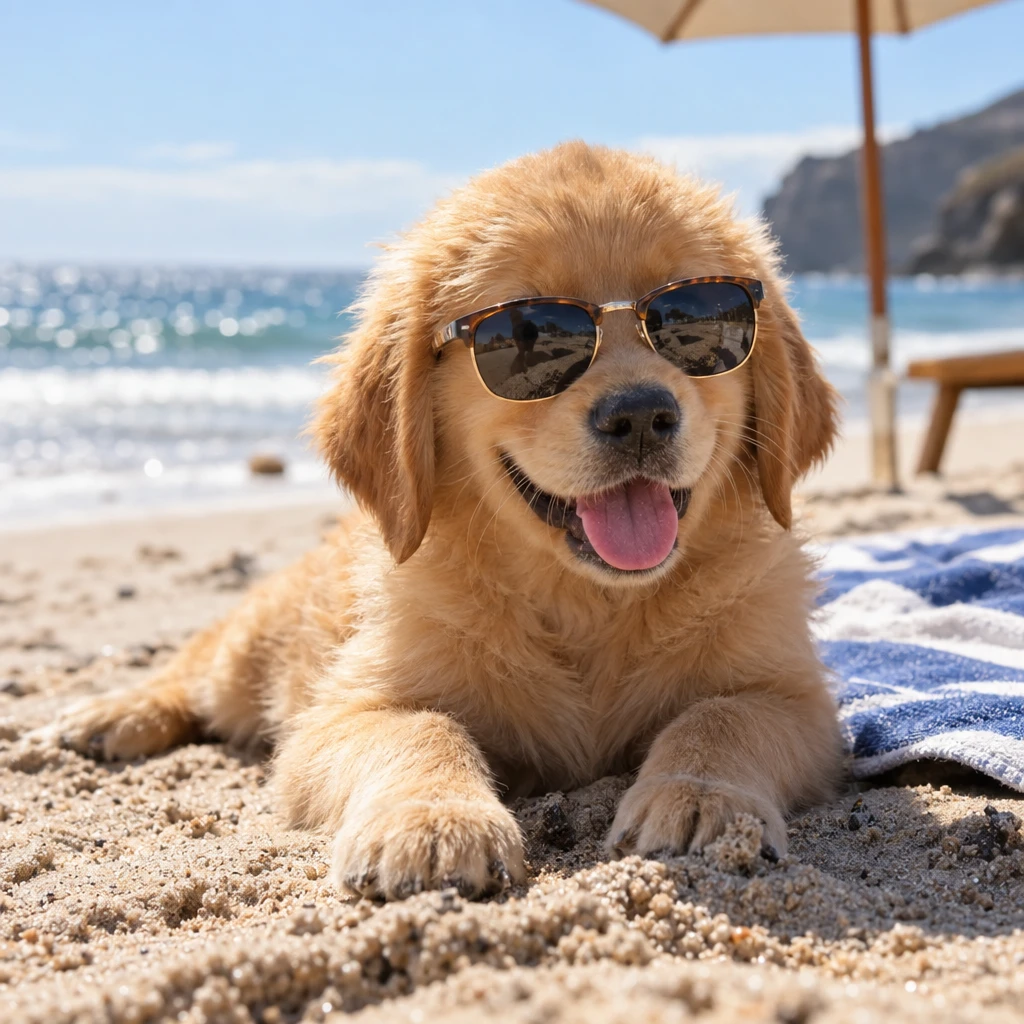
A golden retriever puppy wearing tiny sunglasses on a sunny beach, photorealistic, shallow depth of field
Generate and edit high-quality AI images with GPT Image 2 on FreeAiWork. Use natural-language prompts for ChatGPT-style image generation, image editing, professional graphics and flexible resolutions.
A ChatGPT image generator turns text prompts into visuals and can edit uploaded images using plain-language instructions. Creators use it for product shots, social graphics, concept art, posters and marketing assets without complex design software.
GPT Image 2 is OpenAI’s AI image model for ChatGPT-style image creation and editing. It is designed for stronger prompt following, improved text and layout understanding, and high-resolution output for everyday creative and professional workflows.
| Feature | GPT Image 2 |
|---|---|
| Official model | GPT Image 2 |
| Developer | OpenAI |
| Type | AI Image Generation |
| Text to Image | Supported |
| Image Editing | Supported |
| Reference Images | Supported |
| Resolutions on FreeAiWork | 1K / 2K / 4K |
| Provider model ID | openai/gpt-image-2 |
Describe the scene, style, lighting and composition in natural language. GPT Image 2 turns prompts into complete visuals — a practical free ChatGPT image generator workflow for ideas and campaigns.
Upload a reference image and explain what to change. GPT Image 2 can help update backgrounds, objects, lighting and style while keeping important subject details.
Produce marketing visuals, social creatives, product concepts and presentation graphics with clearer layout structure and more reliable composition.
Choose 1K, 2K or 4K output depending on the asset. Higher resolutions support ads, product pages and presentation decks that need extra detail.
GPT Image 2 improves how prompts with headlines, labels and structured layouts are interpreted, which helps when readable text and organized design matter.
Create ecommerce-ready product concepts from text or reference images.
Design square and portrait creatives for posts, stories and ads.
Generate campaign visuals and branded compositions quickly.
Explore characters, scenes and styles before production.
Build slide-ready diagrams and illustrative graphics.
Refine uploaded images with clear AI instructions.
Start from a prompt, or upload an image when you want to edit an existing visual.
Describe subject, style, text, lighting and composition in clear language.
Pick the output size that matches your channel or design format.
Review the result, adjust the prompt or reference image, and generate again.
A clean ecommerce product photo of a matte black wireless headphone on a soft gray seamless background, soft studio lighting, sharp detail, premium advertising look.
2K · 1:1

Create a modern social media ad with the headline "MAKE IT VISUAL" in clear bold typography, minimal layout, high contrast, professional brand design.
2K · 4:5

Keep the same product and replace the background with a bright coastal scene, soft daylight, realistic reflections, natural shadows.
2K · 3:2

A professional presentation slide graphic explaining AI image workflows, labeled sections, clean icons, readable text, corporate blue palette.
2K · 16:9
| GPT Image 2 | GPT Image 1 | |
|---|---|---|
| Model | GPT Image 2 | GPT Image 1 / GPT-4o Image |
| Focus | Next-gen quality and layout | Earlier GPT image generation |
| Resolution options | 1K / 2K / 4K on FreeAiWork | Quality-based tiers |
| Image editing | Supported | Supported |
| Text & layout | Improved | Earlier generation |
| Best for | Everyday ChatGPT image generation | Lighter GPT image tasks |
| GPT Image 2 | Nano Banana 2 | |
|---|---|---|
| Model | GPT Image 2 | Gemini 3.1 Flash Image |
| Provider | OpenAI | |
| Positioning | ChatGPT image generation | Fast Nano Banana generation |
| Editing | Supported | Supported |
| 4K | Yes on FreeAiWork | Yes on FreeAiWork |
| Best for | ChatGPT image generator users | Fast everyday creators |
Choose GPT Image 2 for ChatGPT-style image generation and OpenAI prompt workflows. Choose Nano Banana 2 when you want Google Gemini Flash image speed and everyday Nano Banana iteration.
FreeAiWork exposes GPT Image 2 through the existing image generator. You select the model, enter a prompt, optionally upload a reference image, choose resolution and aspect ratio, then generate. Provider calls use the configured openai/gpt-image-2 model ID — no separate API page is required to start creating.
Use FreeAiWork as a free ChatGPT image generator online — turn prompts and reference images into visuals with GPT Image 2.