
Product Photography
Text to ImageLuxury watch product photography, studio lighting, premium advertising style, realistic reflections, high detail.
Seedream 5.0 AI Image Generator
Create professional AI images with Seedream 5.0 Pro. Generate creative visuals, product images, character designs and AI artwork online.
0/2000 characters
Cost: 5 ⚡
Cost: 5 ⚡
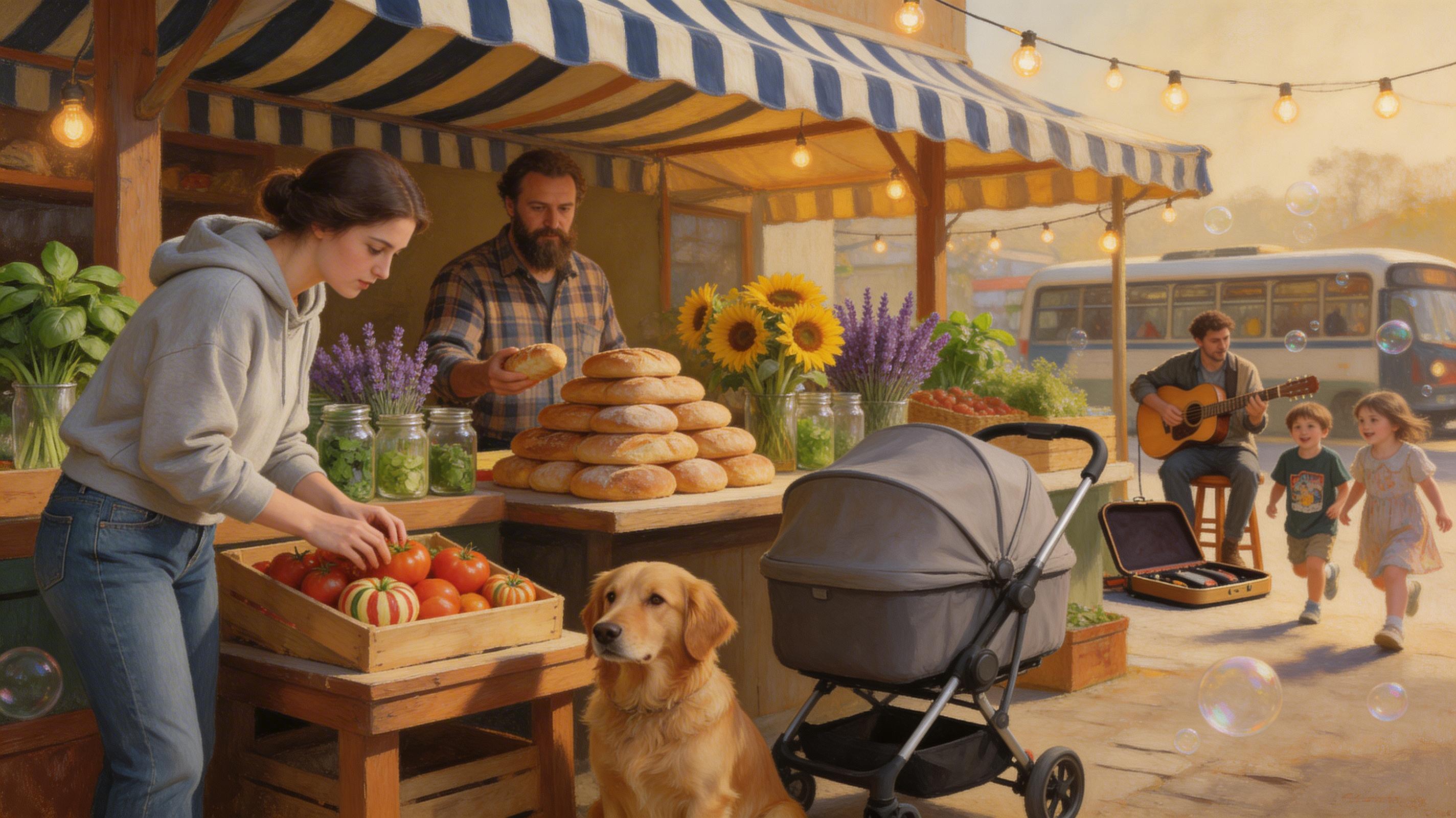
A Renaissance-style oil painting of a modern-day farmer's market. A woman in a hoodie and jeans examines heirloom tomatoes under a striped canvas awning, lit like a Vermeer interior. Behind her, a man with a beard sells artisanal sourdough loaves arranged in a pyramid. A golden retriever sits patiently beside a stroller. Bunches of sunflowers, purple lavender, and fresh herbs in mason jars line the tables. String lights crisscross overhead. A busker plays acoustic guitar in the background. Children chase soap bubbles. The scene has the warm, golden light of a Dutch Golden Age painting but every detail is unmistakably contemporary.
Create professional AI images with Seedream 5.0 Pro. Generate creative visuals, product images, character designs and AI artwork online.
Generate AI images with Seedream 5.0. Create realistic images, creative artwork, product visuals and professional designs from simple text prompts.
Seedream 5.0 is an AI image generation model designed to create high-quality images from text prompts and reference images. It supports creative workflows including image generation, editing, character consistency and professional visual creation.
| Feature | Seedream 5.0 |
|---|---|
| Model Type | AI Image Generation |
| Developer | ByteDance |
| Text To Image | Supported |
| Image Editing | Supported |
| Reference Images | Supported |
| Character Consistency | Supported |
| Creative Control | Supported |
| Image Generation | Supported |
Create detailed AI images from natural language prompts. Generate illustrations, product images, marketing visuals and creative artwork.
Edit existing images with AI instructions. Modify style, objects, backgrounds, lighting and composition.
Maintain character appearance across multiple generated images. Create consistent characters for creative projects and storytelling.
Use reference images to guide AI generation. Control style, subject and visual direction.
Support advanced editing workflows with separated visual elements.
Luxury watch product photography, studio lighting, premium advertising style, realistic reflections, high detail.

Create a fantasy character, cinematic lighting, detailed costume, professional concept art.

Create a modern advertising poster with readable typography, clean layout, professional graphic design.

Use the reference image to maintain the same character identity, change the environment to a futuristic city.
Seedream 5.0 API allows developers to integrate AI image generation into applications. FreeAiWork exposes Seedream 5.0 through the existing image generator and credit system.
Seedream 5.0 pricing depends on resolution, generation settings, usage limits and provider pricing.
View FreeAiWork pricing| Feature | Seedream 5.0 | Nano Banana Pro |
|---|---|---|
| Provider | ByteDance | |
| Type | Image Generation | Image Generation |
| Text Rendering | Strong | Strong |
| Editing | Supported | Supported |
| Reference Images | Supported | Supported |
| Character Workflow | Strong | Strong |
| Feature | Seedream 5.0 | Seedance |
|---|---|---|
| Type | Image | Video |
| Generation | Images | Videos |
| Text Prompt | Supported | Supported |
| Best For | Images | Motion Content |
| Feature | Seedream 5.0 | Seedance 2.0 |
|---|---|---|
| Type | Image | Video |
| Generation | Still images and edits | AI video clips |
| Text Prompt | Supported | Supported |
| Image Input | Reference / editing | Image to video |
| Best For | Product & creative stills | Motion storytelling |
Generate and edit professional AI images with Seedream 5.0 on FreeAiWork.