Skip to content
FreeAiWork

AI Filter Remover

Supprimez les filtres photo indésirables et retrouvez un rendu naturel grâce à l’IA en ligne.

Upload photo

Optional. Multi-select, drag & drop, or paste

154/2000 characters

Public Visibility

Cost: 2 ⚡

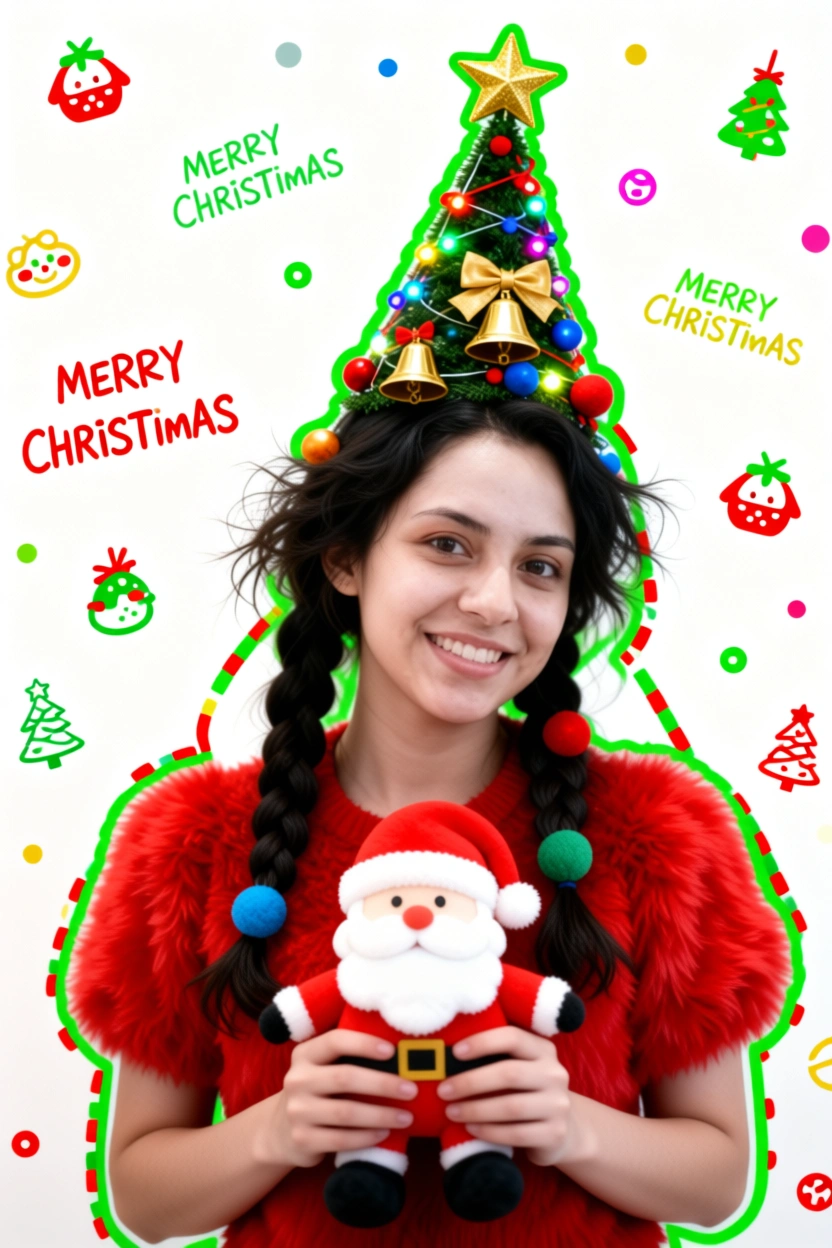
Generate a Christmas-themed image of a beautiful young girl with a "pure desire" (innocent yet alluring) aesthetic. Keep the face consistent with the reference.
Character Appearance & Styling
Hair: Loose, low double-braids decorated with colorful fabric balls. Messy, fluffy strands of hair blend naturally with the headpiece.
Headpiece: A small, neat, cone-shaped Christmas tree fixed to the top of her head. It features a gold star on top and is richly decorated with colorful lights, gold bells, bow knots, and small red, blue, and gold ornaments.
Face & Makeup: Fair "cold-white" skin, smooth as jade. Natural red-brown eyeshadow gradient. An innocent gaze with a dreamy "pure desire" filter.
Clothing: A soft, fluffy red plush top.
Pose & Atmosphere
Action: Holding a Santa Claus plush toy with both hands. She is tilting her head slightly in a playful, cute, and beautiful pose.
Expression: Full of festive celebration; a contrast of cuteness and sexiness.
Vibe: A warm, healing Christmas atmosphere.
Technical & Artistic Style
Photography: Studio soft lighting, 70mm film portrait style. Low contrast, low saturation, delicate film grain, and slight chromatic aberration/glow.
Composition: Medium shot, warm white background, unique but formal composition.
Artistic Elements: * The outline of the character is traced with green graffiti.
The surrounding white space is filled with cute hand-drawn Christmas doodles (collage style).
The silhouette is wrapped in fluorescent red, green, and gold dashed lines and polka dots.
The words "MERRY CHRISTMAS" are written everywhere in a cute font.

Generate a Christmas-themed image of a beautiful young girl with a "pure desire" (innocent yet alluring) aesthetic. Keep the face consistent with the reference. Character Appearance & Styling Hair: Loose, low double-braids decorated with colorful fabric balls. Messy, fluffy strands of hair blend naturally with the headpiece. Headpiece: A small, neat, cone-shaped Christmas tree fixed to the top of her head. It features a gold star on top and is richly decorated with colorful lights, gold bells, bow knots, and small red, blue, and gold ornaments. Face & Makeup: Fair "cold-white" skin, smooth as jade. Natural red-brown eyeshadow gradient. An innocent gaze with a dreamy "pure desire" filter. Clothing: A soft, fluffy red plush top. Pose & Atmosphere Action: Holding a Santa Claus plush toy with both hands. She is tilting her head slightly in a playful, cute, and beautiful pose. Expression: Full of festive celebration; a contrast of cuteness and sexiness. Vibe: A warm, healing Christmas atmosphere. Technical & Artistic Style Photography: Studio soft lighting, 70mm film portrait style. Low contrast, low saturation, delicate film grain, and slight chromatic aberration/glow. Composition: Medium shot, warm white background, unique but formal composition. Artistic Elements: * The outline of the character is traced with green graffiti. The surrounding white space is filled with cute hand-drawn Christmas doodles (collage style). The silhouette is wrapped in fluorescent red, green, and gold dashed lines and polka dots. The words "MERRY CHRISTMAS" are written everywhere in a cute font.

Suppression de filtre IA — Enlever un filtre sur une photo

Enlevez les filtres photo avec l’IA pour un rendu plus naturel.

Retirez instantanément les filtres de vos photos. L’IA restaure couleurs naturelles, détails et apparence d’origine.

Before / After Demo

Filtered photo example before AI filter removal

Before: Filtered Image

Natural looking photo example after AI filter remover

After: Natural Image

Qu'est-ce que la suppression de filtre IA ?

Outil d’édition en ligne qui utilise l’intelligence artificielle pour enlever les filtres des photos, restaurer la lumière et les détails. Idéal pour désactiver un filtre Instagram ou Snapchat sur une image.

Enlever les filtres des photos

Réduisez les effets de filtre et retrouvez une apparence plus naturelle avec ce photo filter remover.

Suppression de filtre photo par IA

L’IA analyse les réglages de couleur et de retouche pour restaurer des tons plus fidèles au quotidien.

Supprimer les filtres Instagram

Atténuez les effets des réseaux sociaux et restaurez des couleurs naturelles sur vos images Instagram.

Supprimer les filtres Snapchat

Traitez certains effets de style Snapchat en ligne avec un workflow de suppression de filtre IA.

Comment enlever un filtre sur une photo

  1. 1.Étape 1 — Importer la photo filtrée

    Téléversez une image JPG, PNG ou WebP contenant le filtre à retirer.

  2. 2.Étape 2 — Analyse par l’IA

    L’outil examine couleurs, lumière et ajustements stylisés.

  3. 3.Étape 3 — Suppression des effets

    Générez un résultat plus naturel avec moins de filtre et de retouche beauté.

  4. 4.Étape 4 — Télécharger la photo restaurée

    Comparez avant/après, puis téléchargez l’image restaurée.

Que peut faire la suppression de filtre IA ?

Restauration de selfies

Enlevez le filtre d’un selfie pour un look plus naturel.

Photos des réseaux sociaux

Restaurez des photos Instagram et Snapchat avec une suppression de filtre photo IA.

Anciennes photos

Retrouvez un rendu naturel sur des images fortement éditées.

Portraits

Améliorez le réalisme des portraits grâce à un picture filter remover.

Exemples de prompts de suppression de filtre

Natural Restore

Remove the photo filter and restore natural skin tones and original colors.

Instagram Style

Remove Instagram style filter and restore original lighting.

Natural Look

Make this photo look natural without beauty filters or color grading.

FAQ — AI Filter Remover

Qu'est-ce qu'un AI Filter Remover ?

+
L’IA analyse et atténue les filtres sur les photos pour retrouver une apparence plus naturelle.

Comment enlever un filtre sur une photo ?

+
Importez votre photo et laissez l’IA traiter les effets de filtre indésirables.

L’IA peut-elle enlever les filtres Instagram ?

+
Oui, de nombreux effets de réseaux sociaux peuvent être atténués pour restaurer des couleurs plus naturelles.

Puis-je enlever les filtres Snapchat ?

+
Les outils d’édition IA peuvent réduire certains effets de style Snapchat ; les AR complexes peuvent être limités.

AI Filter Remover est-il gratuit ?

+
La disponibilité dépend des crédits et des formules sur FreeAiWork.

L’IA peut-elle restaurer la photo originale ?

+
Les couleurs et détails s’améliorent, mais le résultat dépend de l’image source et de l’intensité du filtre.

Outils d’image IA associés

À propos de la suppression de filtre IA

  • Tool: AI Filter Remover / Photo Filter Remover
  • Powered by image model: nano-banana-2
  • FreeAiWork page updated: 2026-09-16

Enlevez les filtres de vos photos

Importez une photo filtrée sur FreeAiWork et restaurez un rendu naturel avec l’AI Filter Remover.