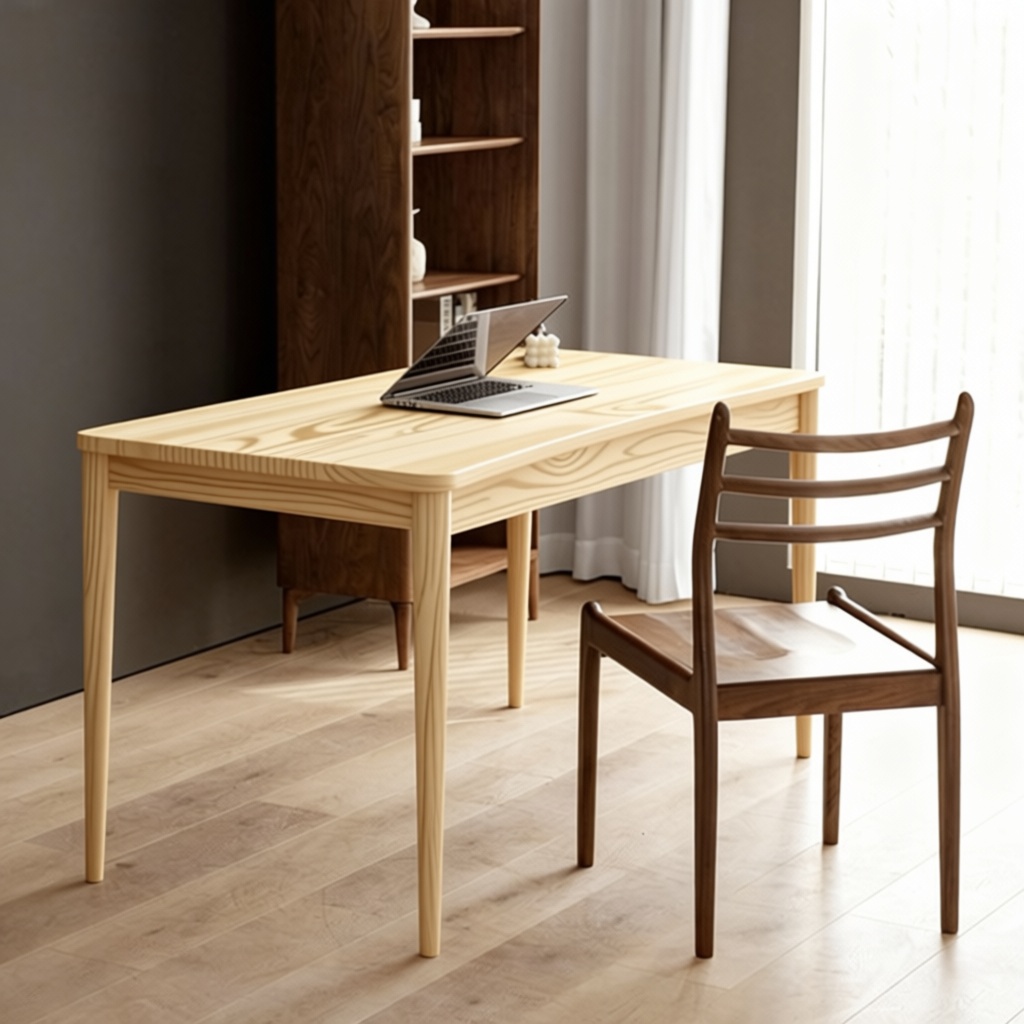
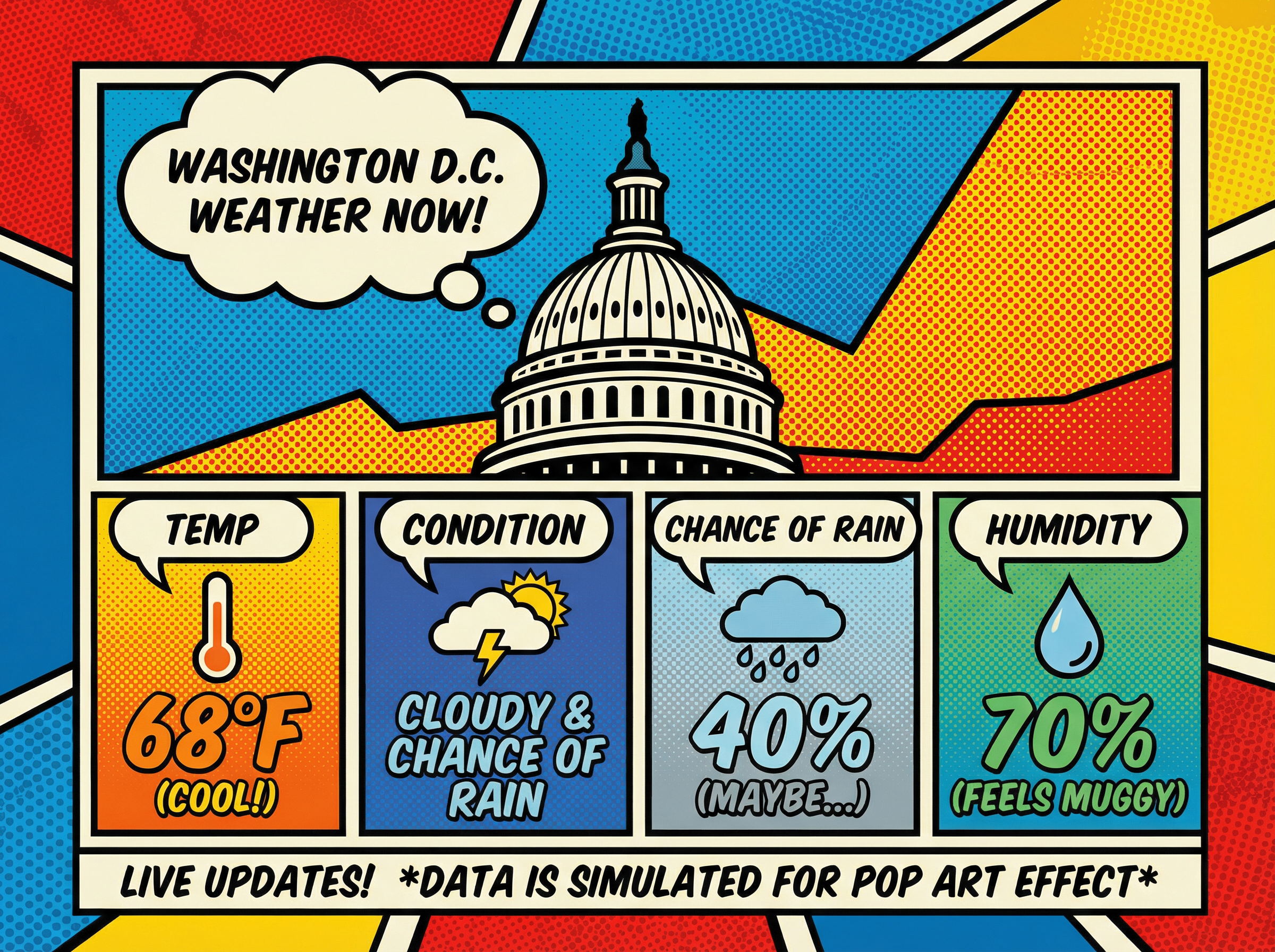
Replace the table top wood in Figure 1 with the light wood material from Figure 2
Free Image to Image AI Generator
Turn any photo, sketch, or product shot into a new look while keeping the original composition recognizable with image to image AI.
Advanced Image to Image Generator for Creative Control
Our image to image generator gives you real control, not random surprises. With image to image AI, you can keep the framing you like and get exactly the change you want, whether you are trying a background changer, using a background remover, restyling a scene, or bringing an old photo back to life with old photo restoration. Just upload your image, type a clear prompt, and the image to image AI handles the rest while keeping the core look consistent.
Image to image AI restyles a portrait photo into painterly and cartoon character looks while keeping the same pose and background
High-Fidelity Image From Image Workflow That Preserves Structure
Many tools drift too far and distort key shapes. This image to image AI focuses on keeping edges, proportions, and layout stable, so the result still feels like your original image. If you care about accuracy, an image to image AI generator should protect structure first, then enhance style. For sharper detail and a more refined finish while keeping the composition stable, try our text to image generator tool to prep your source image first.
Image to image AI colorizes a black and white architectural sketch into a realistic colored rendering
AI Image Generator From Image for Intentional Restyling
This AI image generator from image is built for "new style, same composition." Start with your source image, describe what to change and what to keep, and get a controlled transformation that stays faithful to the base. Image to image AI works best when your prompt includes both direction and constraints.
Image to image AI turns a product cutout into a realistic lifestyle photo scene
Applications of Image to Image AI
Product Visual Variations
Create new angles of presentation from one product shot, like different lighting moods or environments, while keeping the product recognizable. Image to image AI is great for generating listing and ad variations quickly.
Photo to Anime
Turn a real photo into an anime-style image while keeping the original pose and composition recognizable. Use image to image AI to try different anime looks and creative styles from a single source photo.
Old Photo Restoration
Bring aged photos back with clearer detail and a refreshed look. Image to image AI can reduce damage and improve legibility while preserving the original feel.
AI Headshot
Create professional headshot avatars for profiles, branding, or creative projects. Upload one clear photo and generate clean, studio-like variations in seconds — perfect for LinkedIn, team pages, or creator profiles.
AI Object Replacement
Make targeted changes inside your image with minimal effort. Use a simple prompt to guide image to image AI to swap objects, accessories, or outfits while keeping the scene consistent, natural, and realistic.
AI Background Removal
Remove the background from any photo in seconds, then place your subject on a clean or creative new scene. With our AI image generator from image, you can keep edges natural and lighting consistent for smooth, realistic results.
Why Use Our Image to Image AI
Structure-First Results, Less Distortion
Unlike tools that warp your source, our image to image AI generator is built to keep key shapes, proportions, and layout stable. You get a new style without losing the original structure, so results stay recognizable and usable.
Fast Workflow for Quick Iteration
From upload to export, everything is designed for speed. Generate, compare, and refine in minutes with simple prompt edits, so you can explore multiple directions without a slow, complicated process.
Prompt Control with Clean, Ready-to-Use Outputs
Guide the transformation with clear prompts that balance fidelity and creativity. You get clean outputs that work across web, social, and campaigns, plus a simple interface that runs smoothly on desktop and mobile.
Consistent Style Variations with Image to Image AI
Create multiple looks from the same source without losing your visual identity. Our image to image AI makes it easy to keep a consistent theme across a series, so your outputs feel cohesive for feeds, campaigns, or product sets.
High-Quality Image to Image Generator Outputs for Any Channel
Your results should look ready, not rough. This image to image AI generator produces clean images that hold up on landing pages, ads, and social posts, with detail that stays sharp after export.
Easy Image to Image AI for Any Skill Level
No complicated settings or learning curve. Upload an image, describe what you want, and let image to image AI do the heavy lifting while you stay in control. Beginner-friendly for quick drafts, yet flexible enough for repeatable results.
How to Use Our Image to Image AI
1
Choose Your Image to Image AI Model
Start by picking the image to image AI model that matches your goal, whether you want a faithful restyle, a stronger artistic shift, or a cleaner, more realistic finish. Selecting the right model helps your image to image generator stay consistent with your source.
2
Upload Your Image to the Image to Image Generator
Upload your source image in a common format like JPG, PNG, or WEBP. A clear, well-lit photo usually produces better results, and it gives the image to image AI generator a stronger base to work from.
3
Write a Prompt for Your Image to Image AI Generator
Describe what you want to change and what you want to keep. Prompts like "keep the composition, change to cinematic lighting" or "keep the face, restyle to watercolor" help the image to image AI stay controlled and predictable.
4
Generate and Download Your Result
Click Generate to create your new version in seconds. Preview a few variations, pick the best one, and download a clean, high-quality output you can use for content, products, or campaigns.
How to use the image to image AI generator: choose a model, upload your image, write a prompt, and download the result
What Users Say About Our AI Image Generator From Image
A
“I needed an image to image AI generator that keeps the shape of my drawings. This image to image AI tool respects my original lines, so my image from image results stay true while gaining detail.”
S
“The image to image AI free experience helped me test styles quickly. I also like that it feels like an ai image generator free entry point, so I can build brand visuals without stock subscriptions.”
M
“This image from image workflow is perfect for product variations. The image to image generator is intuitive, and the speed makes it easy to create many options for campaigns.”
Image Transformation Showcase
Artistic Styles
Transform photos into artistic styles
Convert images into oil paintings, watercolors, sketches, and other artistic styles with AI-powered transformations.
Frequently Asked Questions
Find answers to common questions about our AI image to image generation service.
What is image to image AI?
+
Image to image AI is a way to transform an existing photo using a text prompt. Instead of starting from scratch, an image to AI image generator keeps your original composition and then applies the style or edits you describe.
Can I use this image to image AI generator for free?
+
Yes. You can use our image to image AI free experience directly in your browser. Upload an image, enter a prompt, and generate results online.
Do I need to sign up to use image to image AI free?
+
You can explore the image to image AI generator after signing in. New users receive free credits to get started and test image to image AI workflows.
What file formats does the image to image AI generator support?
+
Our image to image AI generator supports common formats like JPG, JPEG, PNG, and WEBP, so it fits most personal and professional workflows.
Can I use the results commercially?
+
Yes. Images you generate with our image to image AI generator can be used for commercial projects such as ads, product listings, branding, and social content.
Is it safe to upload photos to image to image AI?
+
We process images securely during upload and generation. Your files are handled with care so you can use image to image AI with confidence.
How should I write prompts for image to image AI?
+
Write what to keep and what to change. For example, "keep the composition, change to cinematic lighting" or "keep the subject, restyle to watercolor." Clear prompts help the image to image AI generator produce cleaner, more consistent results.
How to generate AI images with image to image AI?
+
Upload a source image, type a prompt describing the target look, then generate and compare a few variations. Make small prompt tweaks to refine the style until you get the result you want.
Can image to image AI improve photo quality?
+
Yes. Image to image AI can automatically enhance photo clarity, lighting, and overall texture while keeping the original composition intact. It refines details, reduces blur, and produces sharper results — ideal for upgrading low-quality or old photos.